Your agents fly the missions.
This is the cockpit.
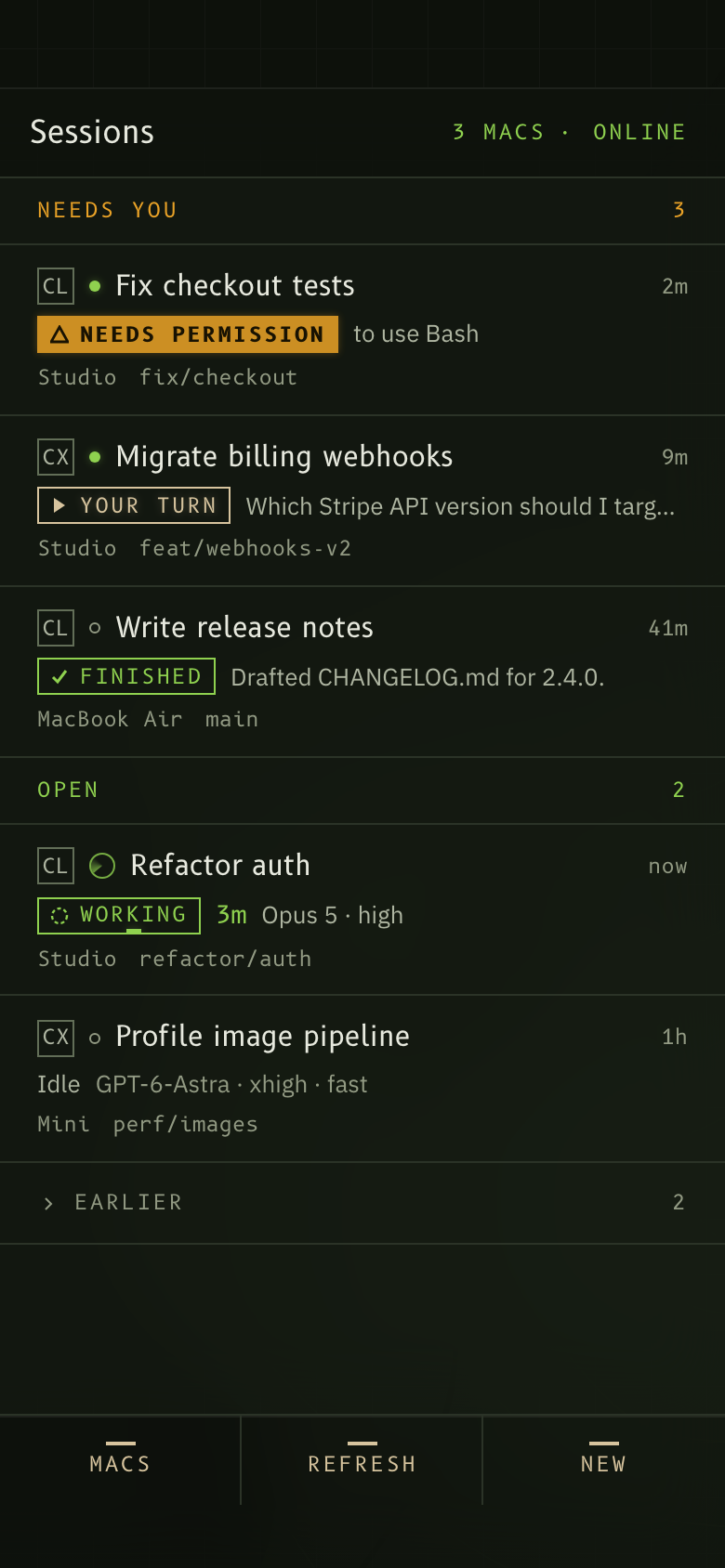
Airpocket puts the Claude Code and Codex sessions running in terminals on your Macs onto your iPhone. See which one needs you, read along as it works, answer a prompt, change the model, stop a run. Over your own Tailscale network. No accounts, no cloud.
airpocket pair and scan the code it prints with your phone. Then start agents with airpocket run claude in whatever terminal you use. The three steps · The threat modelFour things you'll do most
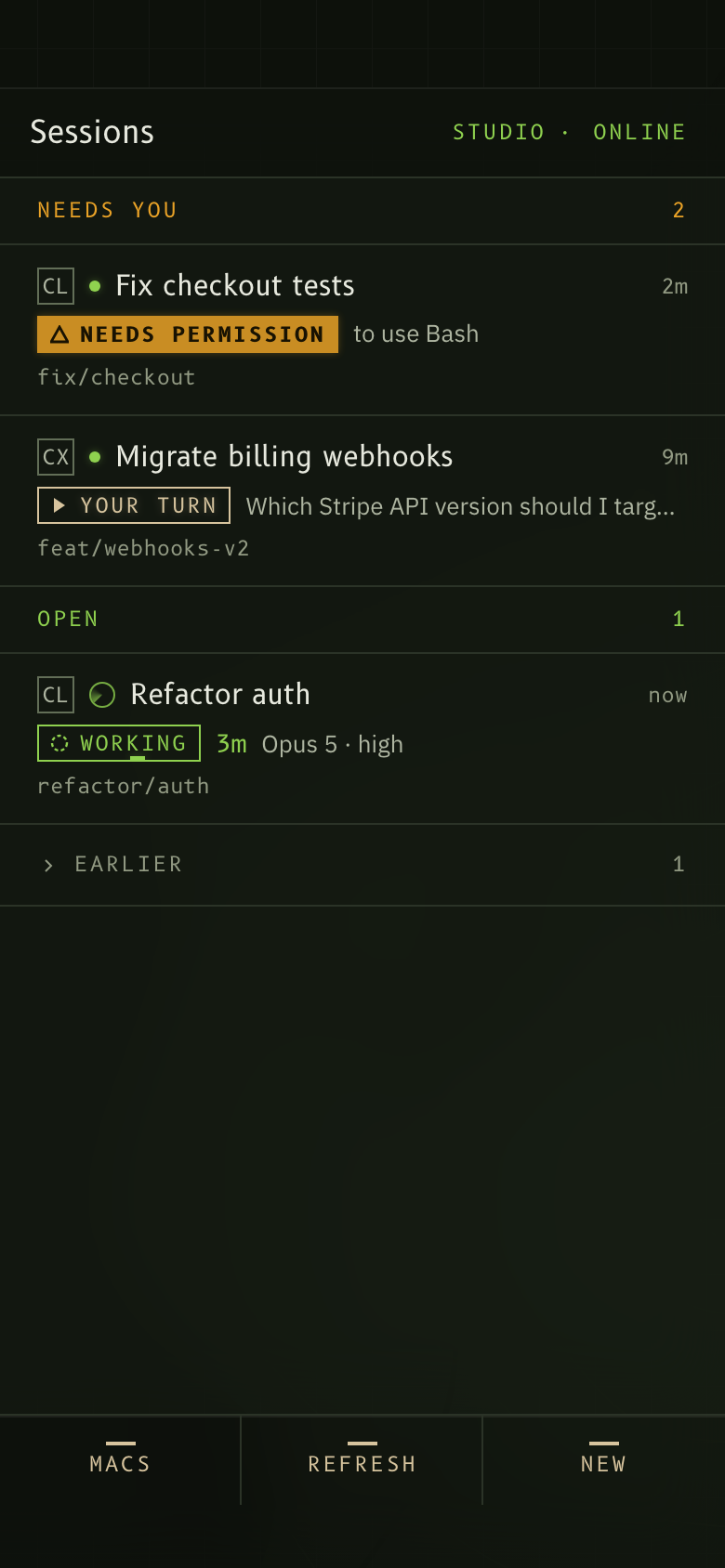
Every session on every Mac in one list, sorted by who is waiting. Caution lights say whether it's a permission prompt, a question, or a finished run.
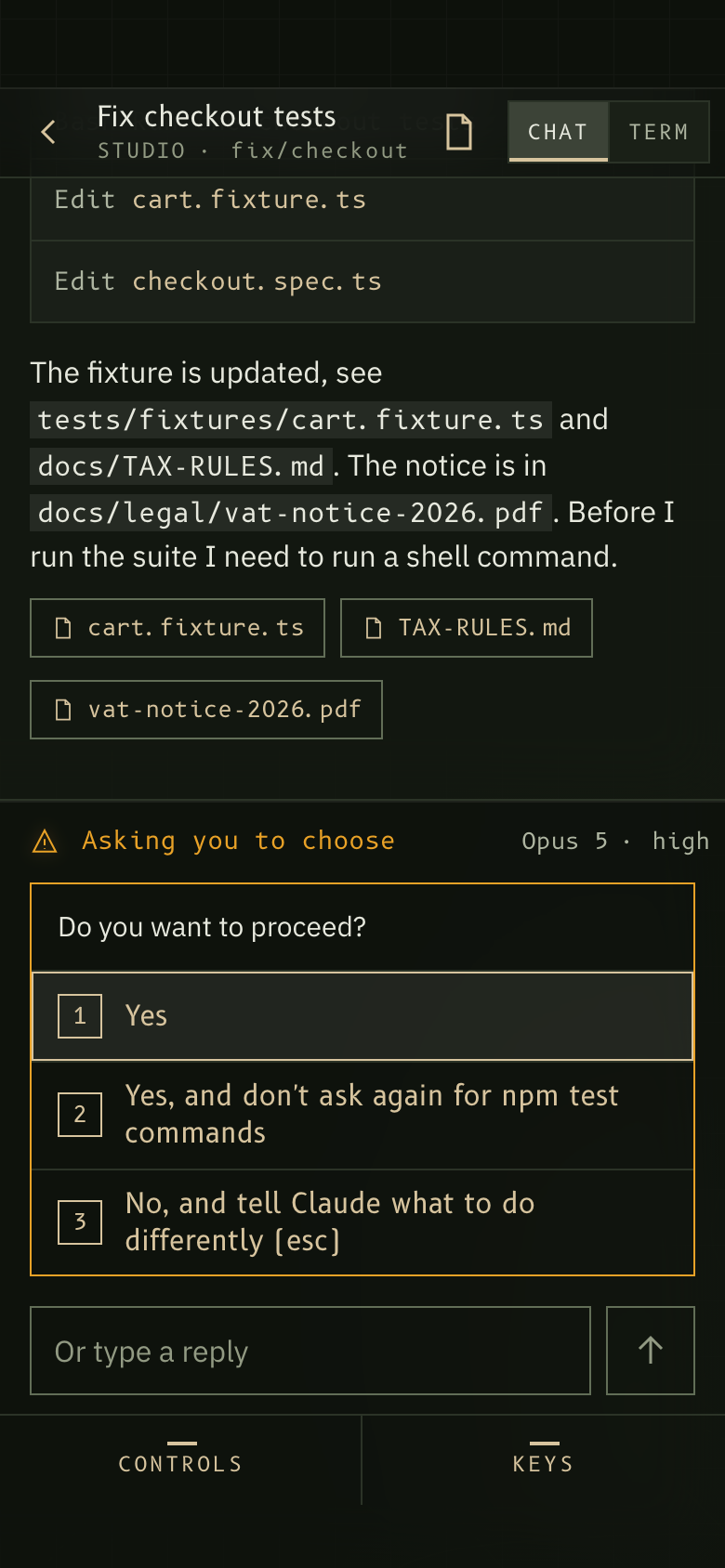
The agent's numbered options become buttons. Tap one and the keystroke lands in the terminal the session is actually running in. Or type a reply.
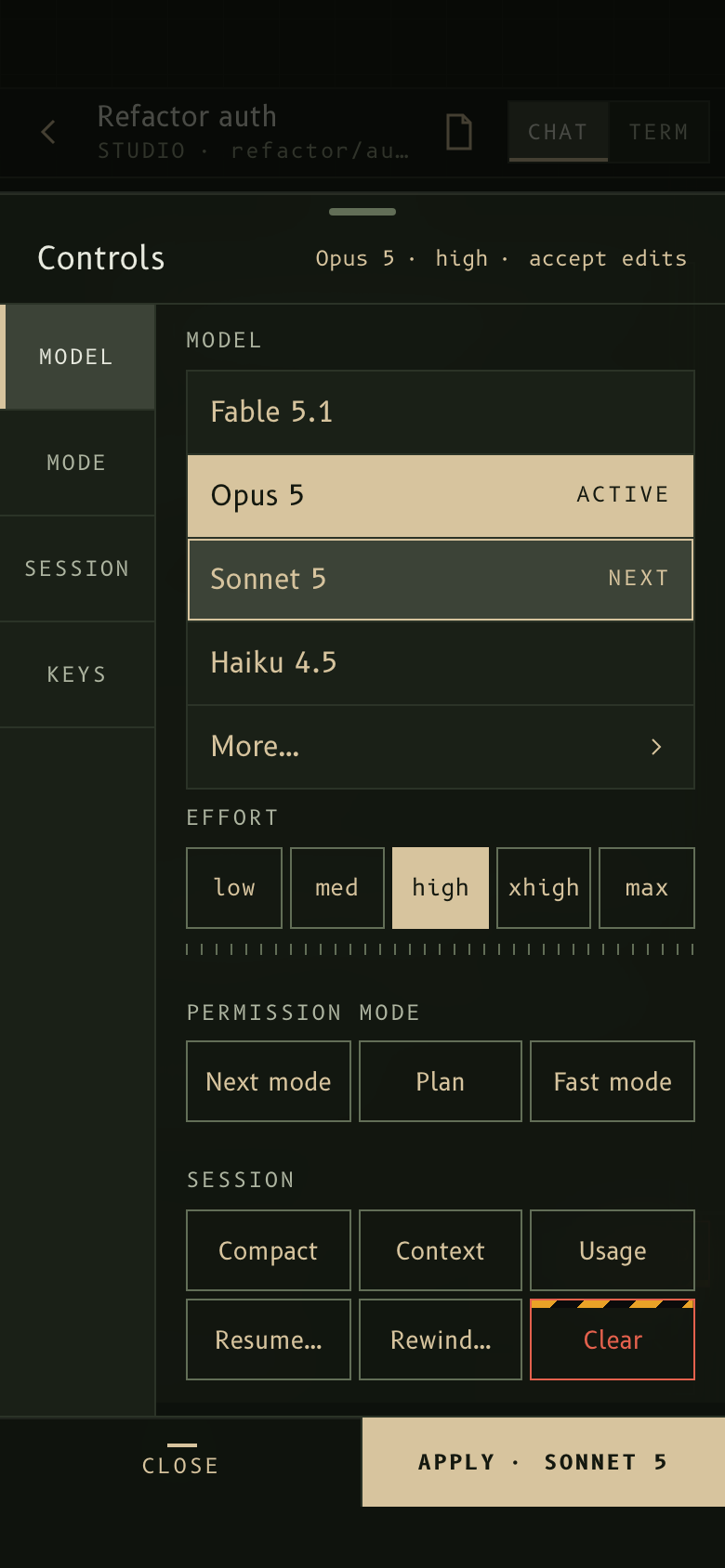
Switch model, effort or permission mode, compact the context, or send one keystroke from the keypad. Stop a run when it heads the wrong way.
Files the agent wrote or mentioned, with viewers for text, code, Markdown and images. PDFs and web pages open in a separate, locked-down view.
Five lines, no server
- 1 —The agent's own hooks tell a small service on your Mac what just happened.
- 2 —That service talks to your phone over your own Tailscale network.
- 3 —What you send is typed into the terminal the session is really running in.
- 4 —Nothing leaves your machines: no relay, no telemetry, no third party.
- 5 —The agent runs in the terminal you already use:
airpocket run claudeputs it in a tmux session Airpocket owns, and no server sits in between because there is no server.
Preflight, four items
airpocket run claude starts the agent in a tmux session Airpocket owns.It works in the terminal you already use: Terminal.app, iTerm2, Warp, Ghostty, a VS Code or Cursor pane. Start agents with airpocket run claude, or let setup alias claude and codex to it, and nothing about how you start them changes. Sessions started inside tmux or Superset directly work too.
Sequence, three steps
$ git clone https://github.com/oncelozguleso/airpocket.git
$ cd airpocket && npm install -g .
Installs the CLI and the service from source. An npm package follows at launch.
$ airpocket setup
Adds its hooks to your agent config by merging into it, never replacing it, and keeps a backup of the original.
$ airpocket pair
Scan the code it prints with your phone, then add the page to your Home Screen.
airpocket uninstall removes the hooks, restores the backed-up config and deletes the paired device tokens. Nothing of yours is left behind.The first question, answered first
The service runs on your Macs. Your code, your conversations and your keys stay there.
Phone and Mac talk over Tailscale only. No port is opened to the public internet and there is no relay we operate.
Each paired phone gets its own token. Remove a phone on the Mac and that token stops working immediately.
A file is reachable from the phone only through the session that made or mentioned it. There is no general file browser.
Questions people ask
No. The service reads and writes only on that Mac, and sends to your phone what you see on screen. Whatever your agent already sends to its own model provider is unchanged by Airpocket.
No. Superset and tmux work directly; any other terminal works through airpocket run, which setup can make the default for claude and codex.
Yes, with its own controls: model, effort, permissions, plan, compact, diff and review. Codex support is tested against recorded sessions; the first real end-to-end run is still to come.
It still works. Tailscale connects your phone to your Mac wherever both are, so a coffee shop or a plane with wifi is the same as your desk.
Nothing. It's MIT licensed and there is nothing hosted to pay for. You pay your model provider as you already do.
The phone shows that Mac as offline and hides its sessions. When the Mac wakes, the sessions and their history come back on their own.
Only a device you have paired can connect, and each pairing is a one-time code you approve on the Mac. Tailscale ACLs can narrow it further.
Run airpocket uninstall, then remove the Home Screen icon. Your agent config is restored from the backup setup made.
Put your sessions in your pocket.
A clone and a setup on the Mac, one scan on the phone. Everything stays on hardware you own.